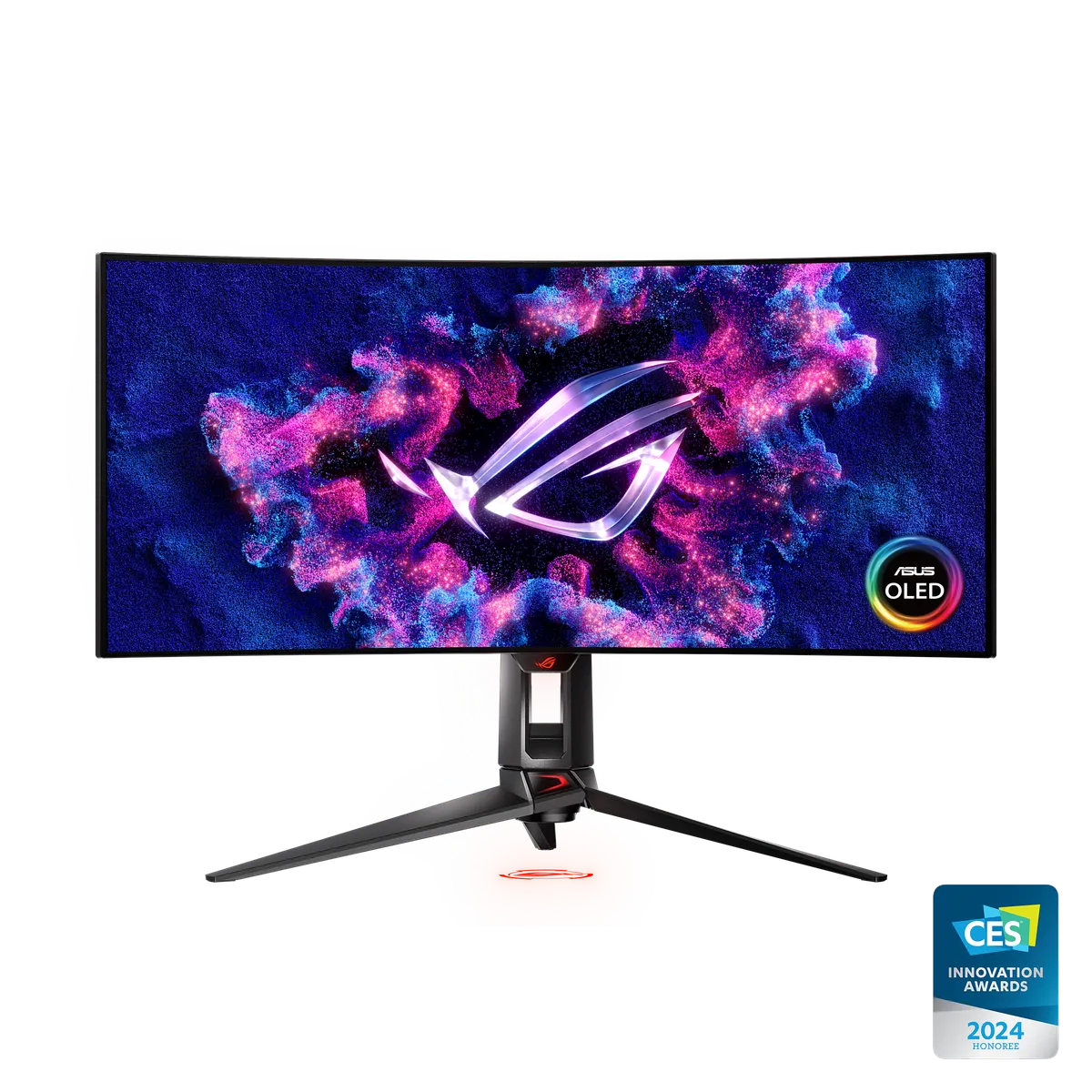
MonitorsAsus
ASUS ROG Swift OLED PG34WCDM
Best indexed price
Price unavailable
Retailer offers
Amazon UKSearch link
Find on AmazoneBay UKSearch link
Search eBayMore retailers coming
We only list a retailer once we hold verified offer data for it. No placeholder prices, ever.
Indexed prices are snapshots, not live quotes. Confirm price, stock and delivery on the retailer's site — checkout completes there.
We may earn a commission from these links. How it works
Fit check
Add this to your build in the PC Builder to automatically check dimensions, sockets, and power draw.
Related Products


Full Specifications17 fields
Physical Dimensions
Length Mm
605
Width Mm
548
Height Mm
274
Weight G
6900
Technical Specifications
Display
- 26.5
- 16:9
- 99%
- 135%
- WOLED
- 2560x1440
- 590.42 x 333.72 mm
- Anti-Glare
- 0.229mm
- 1,000 cd/㎡
- 1,500,000:1
- 178°/ 178°
- 0.03ms(GTG)
- △E< 2
- 1073.7M (10 bit)
- Yes
- HDR10
- 240Hz
- Yes
Features
- Yes
- Yes
- Yes (Adaptive-Sync)
- Yes, DisplayWidget Center
- Yes
- Yes
- Yes
I O Ports
- x 1
- x 2
- Yes
- 2x USB 3.2 Gen 1 Type-A
Audio
No
Signal Frequency
DP:30KHz to 390KHz(H)/40Hz to 240Hz(V)
HDMI:30KHz to 295KHz(H)/40Hz to120Hz(V)
Power Consumption
- <38W
- <0.5W
- <0.3W
- 100-240V, 50/60Hz
Mechanical Design
- Yes
- Yes (+20° ~ -5°)
- Yes (+30° ~ -30°)
- Yes (+90° ~ -90°)
- 0~110mm
- 100x100mm
- Aura RGB
- Yes
Dimensions Esti
- 60.50 x 54.80 x 27.40 cm (23.82" x 21.57" x 10.79")
- 60.50 x 35.10 x 5.00 cm (23.82" x 13.82" x 1.97")
- 67.30 x 44.00 x 22.00 cm (26.50" x 17.32" x 8.66")
Weight Esti
- 6.9 kg (15.21 lbs)
- 4.2 kg (9.26 lbs)
- 9.4 kg (20.72 lbs)
Accessories Vary By Regions
- Color pre-calibration report
- DisplayPort cable
- HDMI cable
- Power adapter
- Power cord
- Quick start guide
- ROG pouch
- ROG sticker
- USB 3.2 cable
- VESA mount kit
- Warranty Card
Certificate
- TÜV Flicker-free
- TÜV Low Blue Light (Hardware Solution)
- VESA AdaptiveSync Display 240Hz
- AMD FreeSync Premium
- G-SYNC Compatible
Warranty
2 years (including panel burn-in)
Note
*Peak brightness may vary due to color pre-calibration